AI Podcast Show Notes Generator
Use this AI podcast show notes generator to get a short summary, timestamped topics, and mentions.
Generate notes you can use for your podcast description, website, or newsletter, all from your browser.
Simply upload your recording to get started. Show notes will be ready once the audio is transcribed.
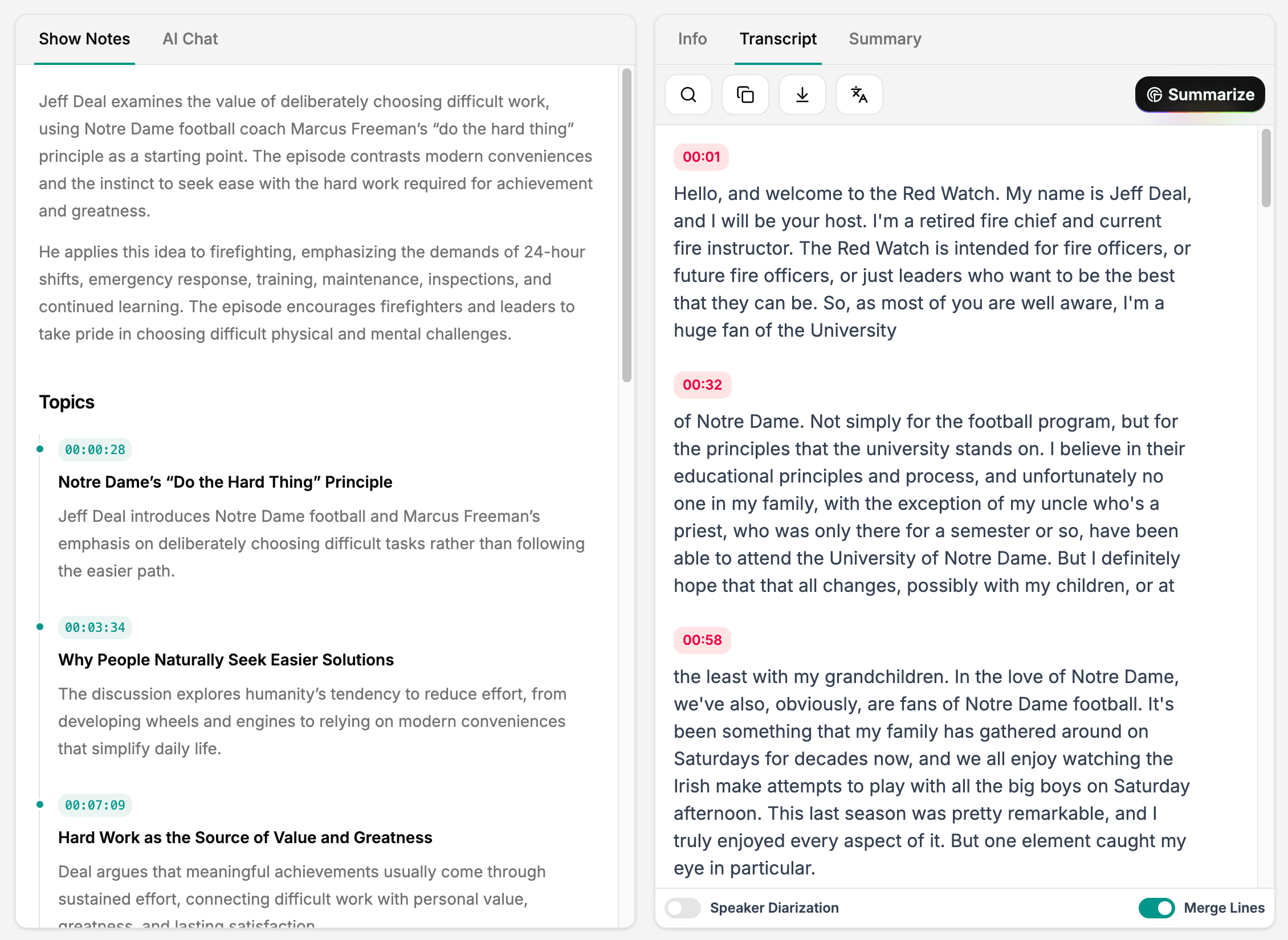
Generate Show Notes from a Link or Recording
SpotScribe works with podcasts from Spotify, Apple Podcasts, and YouTube.
You can also upload your own audio or video file. This allows you to prepare show notes for interviews, solo episodes, and videos before publishing them.
Here's how you can do it:
1. Search for a podcast, paste an episode URL, or upload your audio.
2. Transcribe the episode.
3. Open Show Notes to see the summary, topics, and mentions.
- You can regenerate the show notes if you don't like the first version.
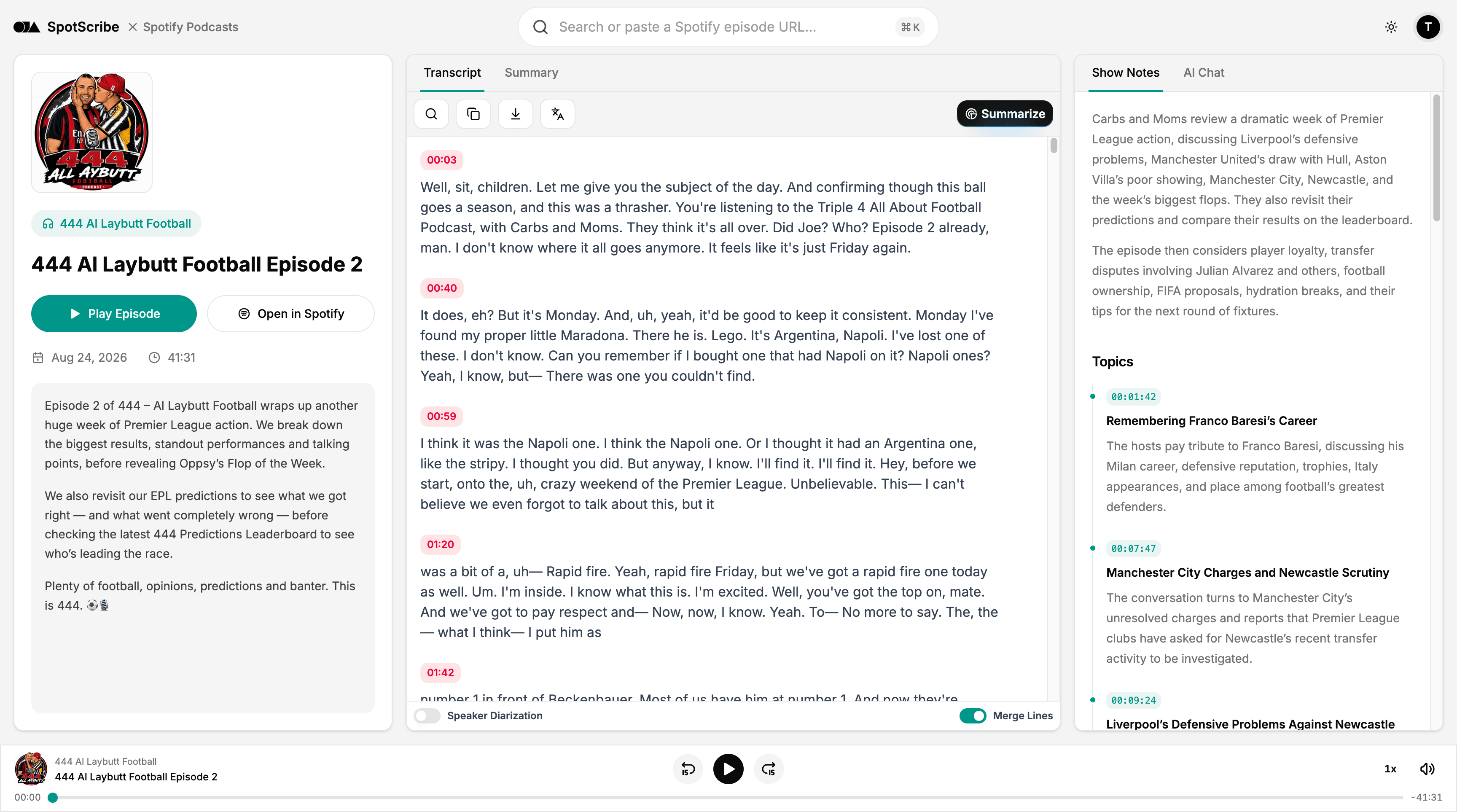
Get Episode Summaries and Key Takeaways
SpotScribe gives you an overview of the conversation as the starting point for your episode description. It brings the main ideas together and explains what the episode covers.
Use it to introduce an interview, describe the subject of an episode, or prepare a recap for your newsletter. You can adjust the wording and add your own introduction before publishing.
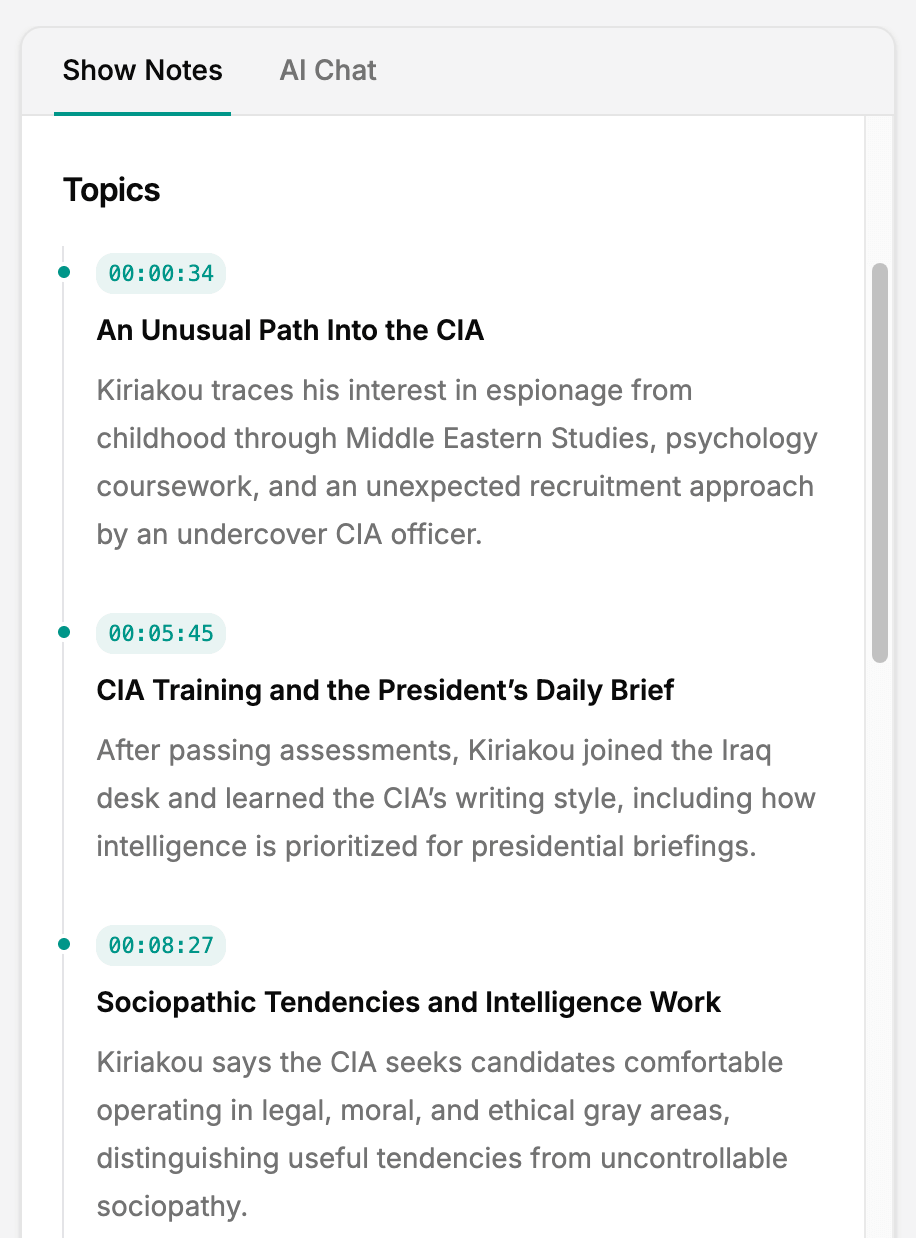
Organize Topics with Timestamps
The show notes organize the conversation by topic, with a title, explanation, and timestamp for each section.
Your listeners get a clear outline of the conversation, and you get a faster way to find the passages you want to highlight.
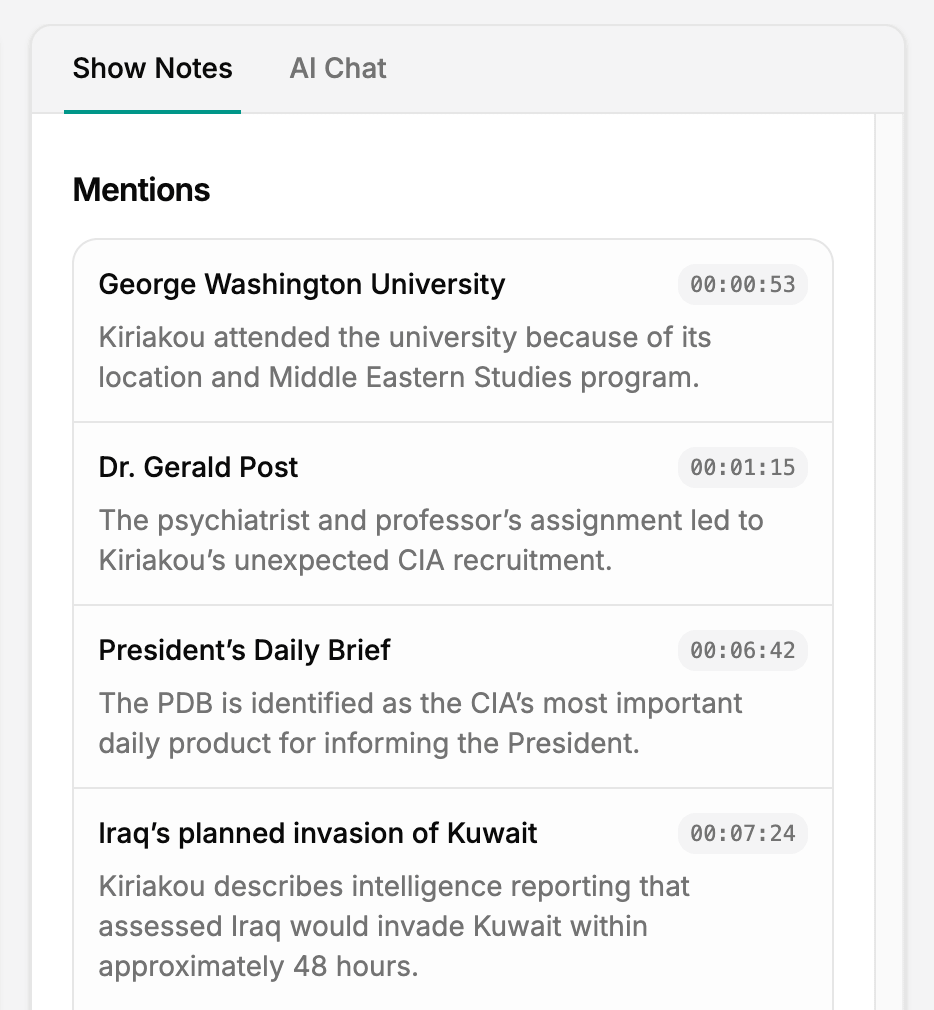
Keep Track of the References Mentioned
Books and other references from the conversation are collected in the Mentions section. It explains their connection to the episode, while a timestamp points back to the discussion.
If a guest recommends a book, listeners can find its title in the notes with the surrounding context. The same section brings together people and places discussed during the episode, making it easier to explore something that caught their attention.
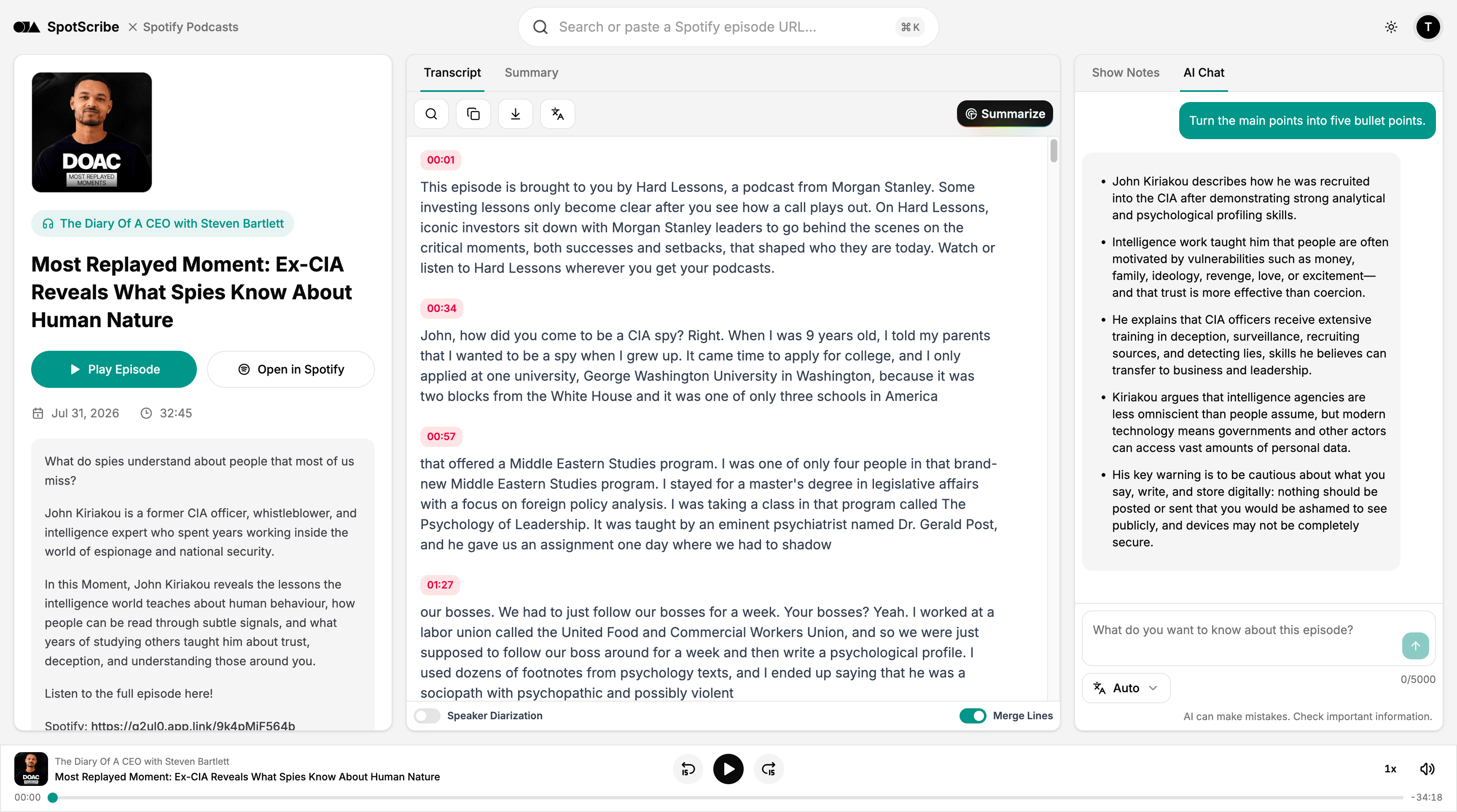
Adjust Your Notes with AI Chat
If you want, you can use the AI Chat to refine your notes for the way you publish.
Give instructions such as:
- Shorten the episode overview.
- Turn the main points into five bullet points.
- Focus on the guest's practical advice.
- Rewrite the introduction in a more casual tone.
- Create a newsletter recap from this episode.
You can also ask the AI to locate material from the conversation for a blog post or social update. The transcript, summary, and chat stay together in the same workflow.
Get Started for Free
New accounts include three free transcription credits. Show notes, summaries, and AI Chat are included without additional credits on the same transcription.
Paid plans provide more credits and support longer episodes, so you can choose a plan that fits your publishing schedule.
Create Your Podcast Show Notes Now
Paste an episode link or upload your recording now and generate show notes for your next episode.