YouTube Podcast Transcript Generator
Paste a YouTube podcast link into this YouTube podcast transcript generator to create a full, timestamped transcript, even when the video has no captions.
There is no need to download the video, split long episodes, or handle the transcription manually. It is fast, simple, and works on mobile.
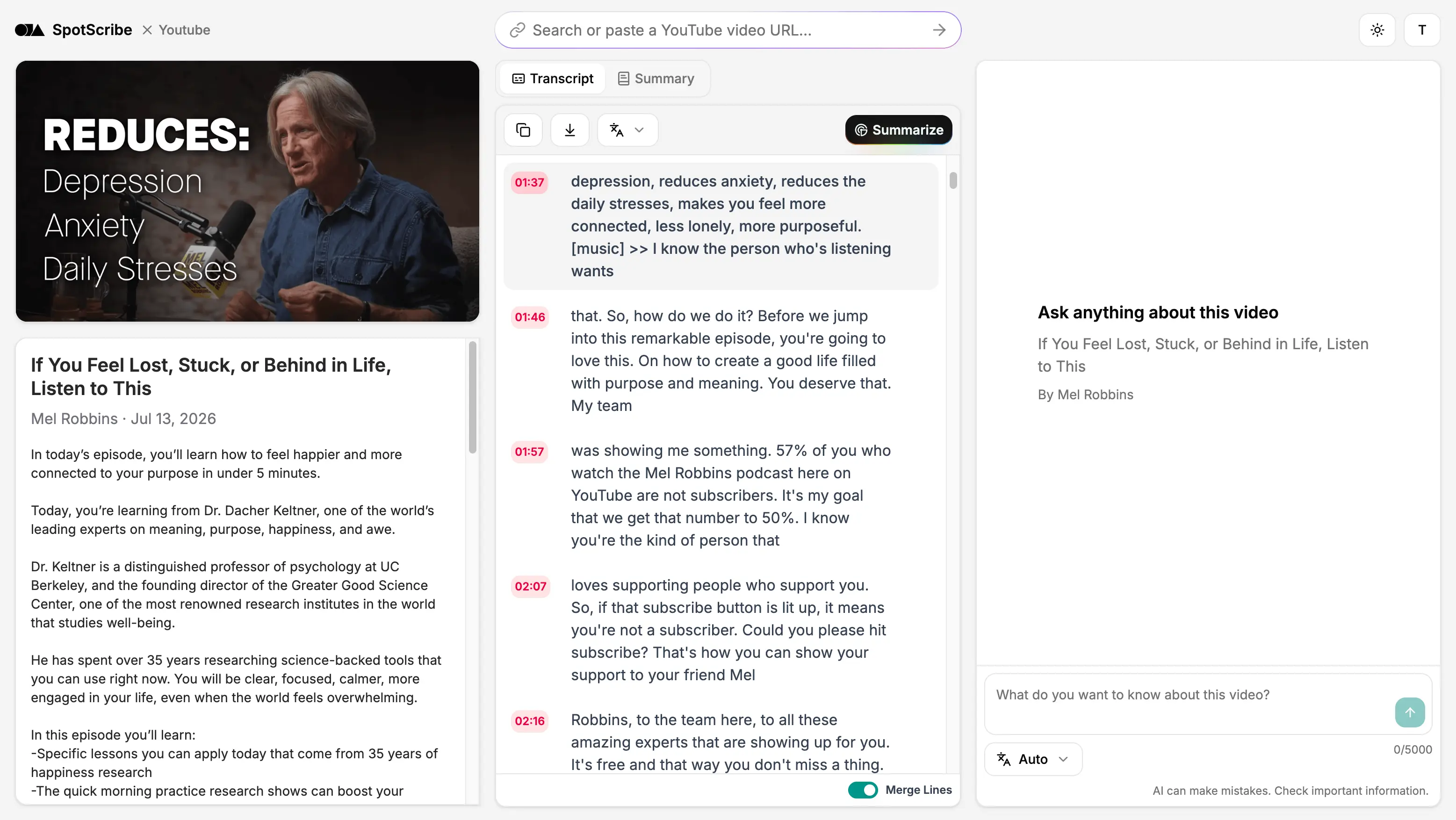
Get an Accurate Transcript with Less Manual Review
SpotScribe uses advanced AI transcription to turn a YouTube podcast into clear text, so you don’t have to review every line by hand.
Names, brands and technical terms are captured accurately, while the transcription model handles background noise and music.
Overlapping speech is identified and filler words are cleaned up without changing the original meaning. It also organizes the transcript into readable sections and adds clear punctuation.
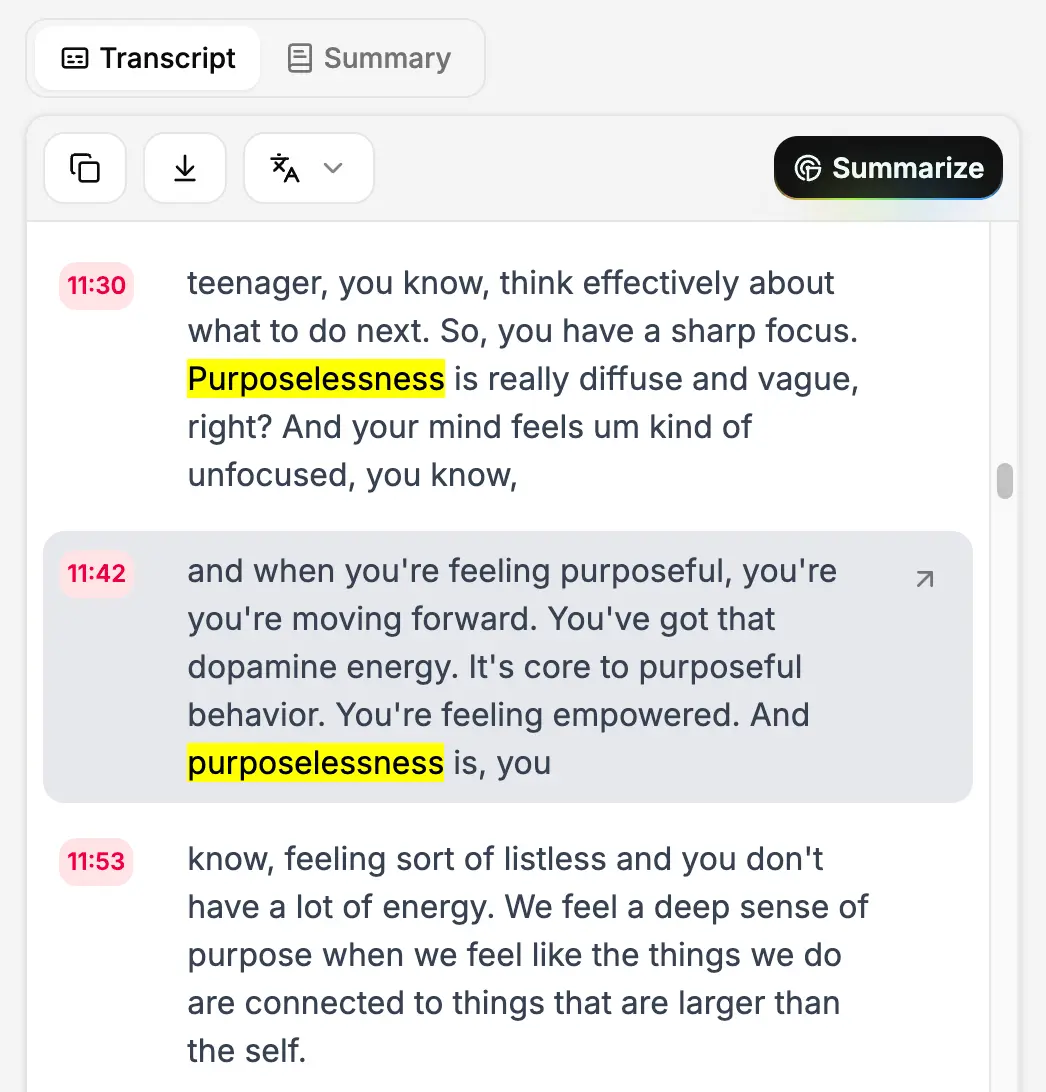
Find the Exact Moment in a Long Podcast
You can search the full transcript to find a name, phrase or topic without replaying a three-hour episode.
Each section includes a timestamp. Click it to jump to the matching part of the podcast, check the wording and copy the quote with its exact reference.
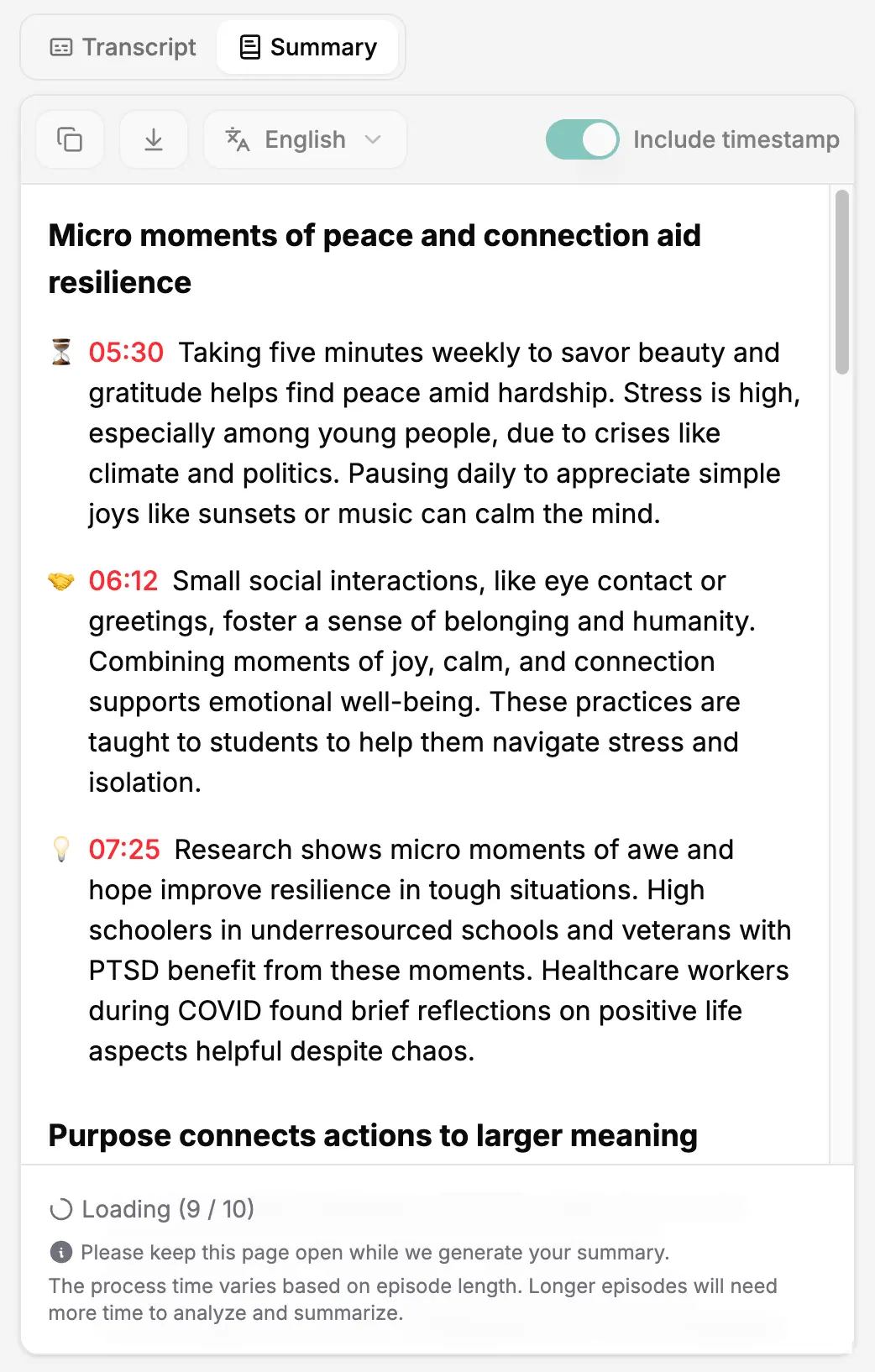
Read, Summarize and Reuse any YouTube Podcast
You may not have time to watch the entire episode, or you may want to return to an important point you missed. Search the full transcript to find specific topics and skim the podcast at your own pace.
SpotScribe also provides a summary, so you can preview the main takeaways without reading tens of thousands of words.
If you are a content creator, you can also use the chat feature to find useful material from the episode and turn it into articles, newsletters or social posts.
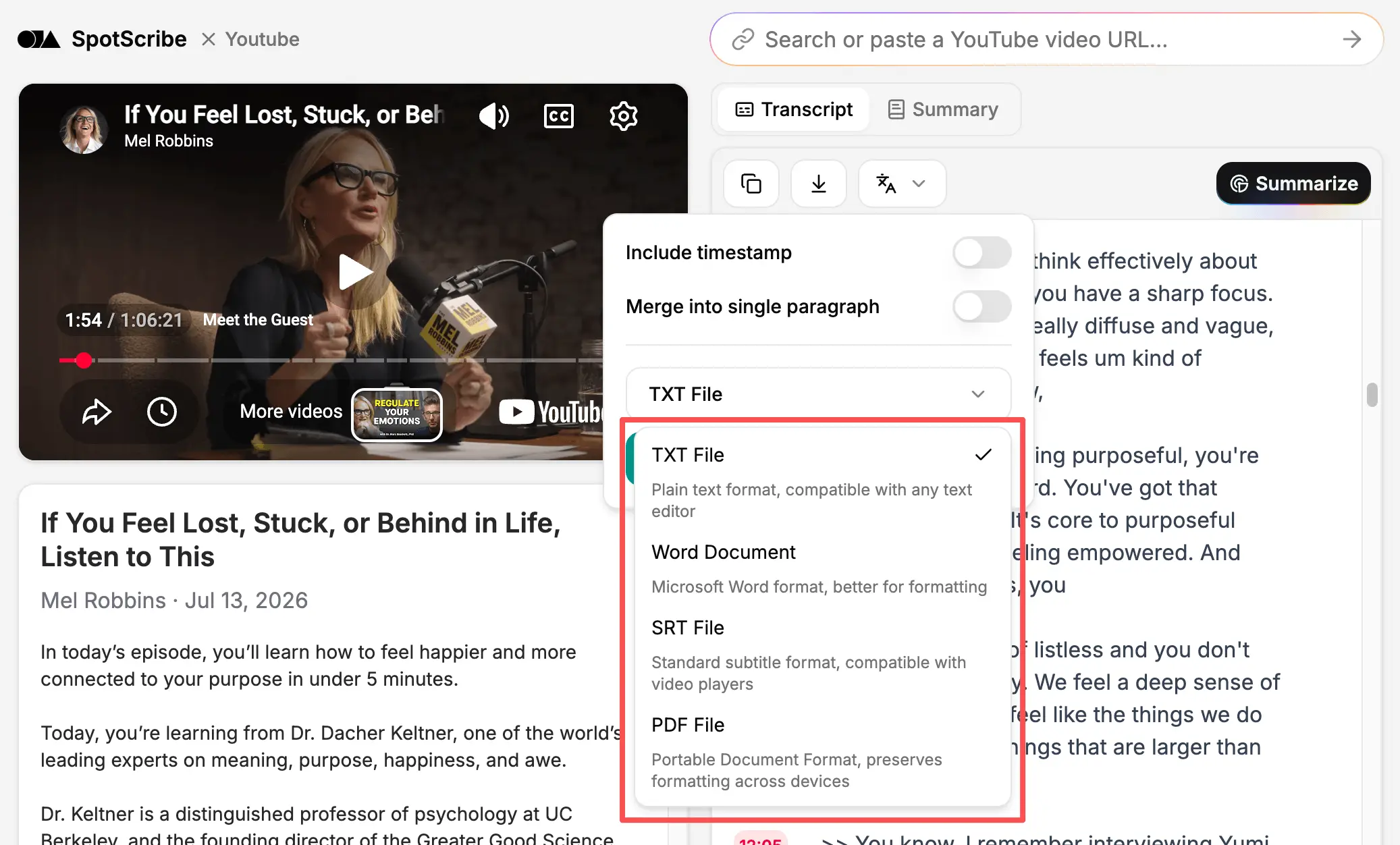
Copy or Download the Transcript in the Format You Need
Copy the entire transcript in one click or download it in the format you need. Choose TXT, Word Document, PDF or SRT, then share the file with an editor, client or coworker.
You can also copy the transcript without timestamps. This is useful when pasting clean text into notes, documents, AI tools or a CMS.
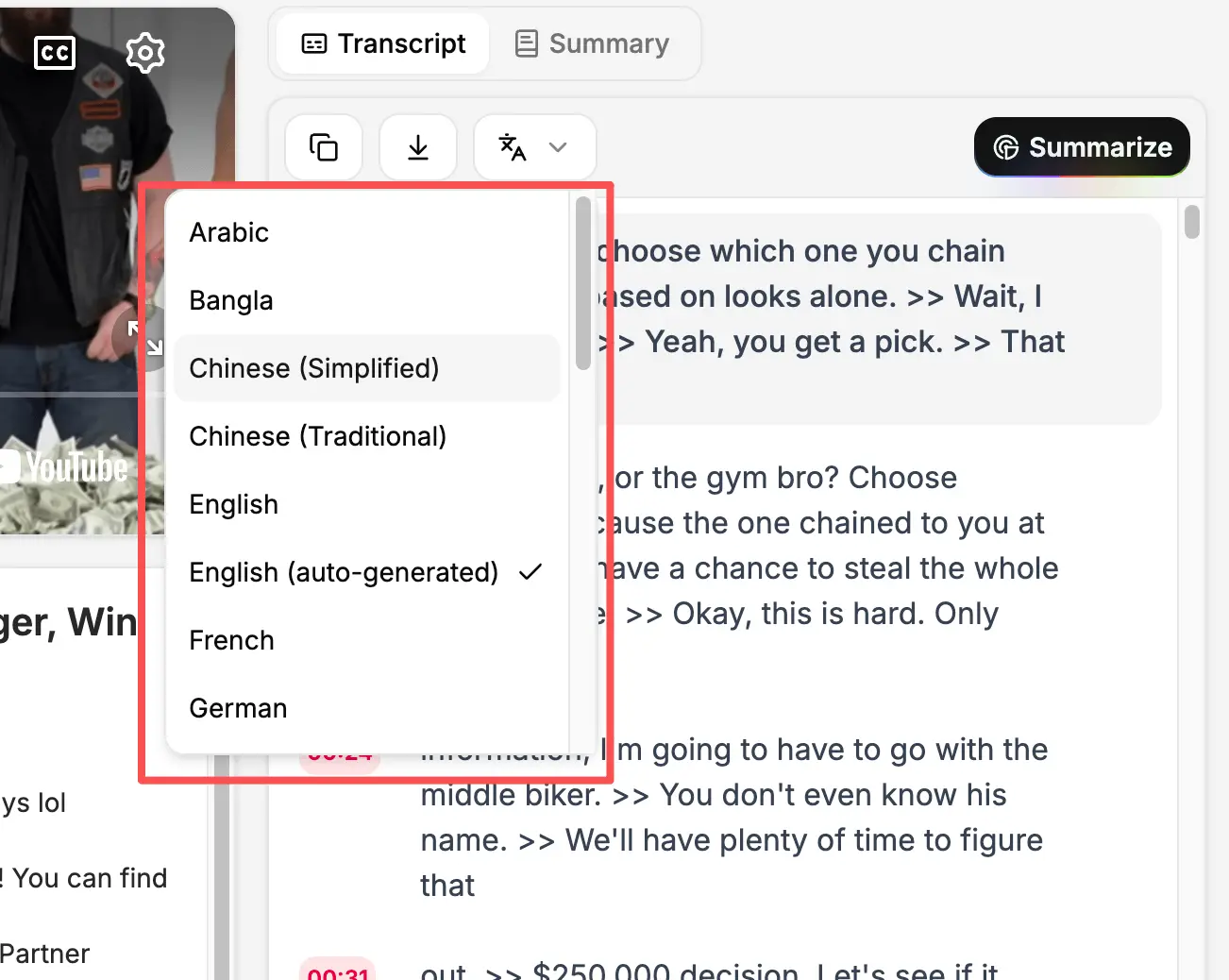
Transcribe and translate podcasts in multiple languages
SpotScribe supports multiple languages, including Spanish, Italian, French and more. It first provides the language track available on YouTube, and you can use the translation feature when the language you need isn’t available.
The workflow is automatic, so you do not need to copy the transcript and paste it into another translation tool. Translation is fast and simple, and usually takes only a few seconds.
When it transcribes the audio, the AI detects the spoken language automatically to reduce errors caused by selecting the wrong language.
Turn a YouTube Podcast Into a Transcript Now
Paste a YouTube link to create an accurate, timestamped transcript you can use for free.